



3D Scanning Errors: 7 Common Causes and How to Reduce Them
A 3D scanner can have excellent accuracy specifications, yet real scan data can still be off, noisy or incomplete. Many 3D scanning errors do not come from a faulty scanner but from the object’s surface, how the scanner is handled and the working environment. This article summarizes 7 common causes and how to reduce them.
Quick Guide: Causes and Fixes
| Cause | How to reduce it |
|---|---|
| Black, shiny or transparent surfaces | Apply 3D scanning spray, change scanning angle and distance |
| Scanning too far away or moving the scanner too fast | Stay in the optimal distance range, scan slowly and steadily |
| Featureless objects (flat, cylindrical, spherical) | Use markers or masking tape, enable hybrid geometry and texture tracking |
| No overlap between scans | Capture a shared area in each scan so they can be aligned |
| Large parts, accumulated error | Use closed-loop scan paths and coded targets |
| Temperature, vibration, lighting | Keep the environment stable, avoid direct sunlight |
| Uncalibrated scanner, unprocessed data | Calibrate per the manufacturer, filter noise and fill holes after scanning |
1. Black, Shiny or Transparent Surfaces
A structured light scanner projects a light pattern onto an object and reads the reflection. According to Artec’s guidance, black surfaces absorb part of the pattern, shiny surfaces reflect too much, and transparent surfaces let the light pass through.
How to reduce it: apply 3D scanning spray or another suitable coating, and try changing the scanning angle and distance. On some Artec scanners you can adjust sensitivity in the advanced settings. Artec also notes that scanners with a blue LED, such as the Spider and Micro, do not work well on red surfaces.
2. Scanning Distance and Scanner Speed
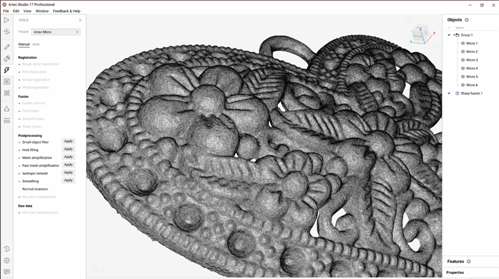
Scanning from too far away can add noise. In Artec Studio, according to Artec, you should position the scanner so that most surfaces appear green, which corresponds to the middle of the distance range meter. According to Artec, the most common cause of lost tracking is moving the scanner too fast, so scan slowly and steadily.
3. Featureless Objects
When the scanner can no longer recognize common features between frames, it stops capturing. Parts with large flat, cylindrical or spherical areas are prone to this. According to Artec, hybrid geometry and texture tracking is more likely to succeed on flat or textureless objects. Masking tape or markers can also help. Place markers randomly and avoid symmetry and alignment.
4. No Overlap Between Scans
When you scan in several passes and then merge them, each pass needs a shared area so the software can align them. Without it, the scans are hard to align correctly.
5. Large Parts: Accumulated Error
According to a scanner manufacturer’s technical material, small misalignments between frames build up over the course of a scan. Closed-loop scan paths generally give more consistent results. For meter-scale parts, use coded targets spread across the part to create a shared coordinate framework.
6. Temperature, Vibration and Lighting
Temperature changes can affect both the scanner and the part, so let the scanner warm up and keep the room temperature stable. Vibration adds noise, so place the part securely and keep it still while scanning. Lighting should be even, with no direct sunlight.
7. Calibration and Data Processing
Transport, daily use and temperature changes can slightly shift the optical system, so calibrate according to the manufacturer’s recommendations. After scanning, remove noise points and fill holes to get cleaner data.
Frequently Asked Questions
How is the scanner’s accuracy different from real-world scanning error?
The manufacturer’s specification is measured under standard conditions. Real results also depend on the surface, scanning technique, environment and data processing.
Do I need to spray every part?
No. Only for black, shiny or transparent surfaces. Scan a test first.
Need Accurate 3D Scanning? Scantech Has a Solution for You
Whether you need a one-off scan, want to rent a 3D scanner for a project or want to invest in your own, Scantech Vietnam can help.
1. 3D scanning and reverse engineering services Difficult part, or data you need to trust? Send your samples to Scantech engineers: we scan, process the data and rebuild the CAD drawing when needed.
👉 0862 170 366 | ktscantech@gmail.com
2. 3D scanner rental Short-term project, or want to try before you decide to buy? Rent a 3D scanner to get the work done without a large upfront investment.
👉0904 985 139 | kdscantech@gmail.com
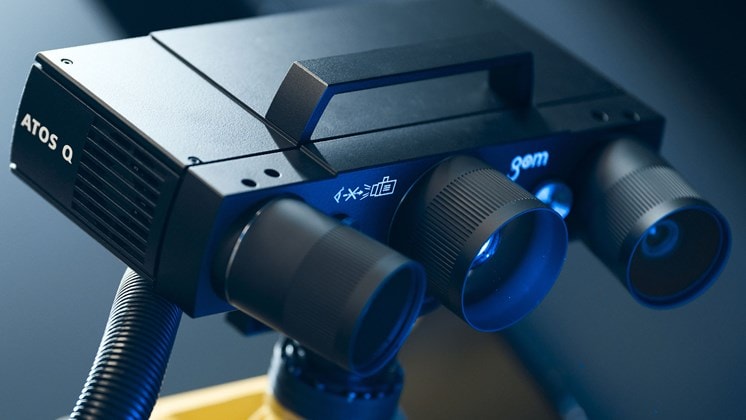
3. Buy an authentic 3D scanner Scantech is an authorized reseller of Artec 3D and ZEISS. Tell us what kind of parts you need to scan and your accuracy requirements, and we will recommend the right model.
👉 0904 985 139 | kdscantech@gmail.com
📍 Showroom: Xom 2 Phuc Duc, Quoc Oai, Hanoi
🌐 Website: scantechvn.com
📘 Fanpage: facebook.com/scantechvn
.svg)
.svg)
.svg)
OTHER NEWS